Domain NamesFind and register your ideal domain name instantly.
 Web HostingEasy-to-use hosting powered by cPanel — ideal for managing websites in Nigeria.
 Windows HostingRun .NET apps with Windows-optimized hosting
 Affiliate ProgramMake money promoting our services
 Reseller HostingMake money by reselling our hosting products under your own brand
 .COM Domains
 All DomainsExplore all supported tld domains in Nigeria
 WhoisFind out who owns any domain, as well as verify your registration details
 VPS Hosting in Nigeria
 Dedicated ServersReimagine your site speed with your own complete server
 Website BuilderDesign your site with drag-and-drop tools
 Online Store BuilderStart your online shop without code
 SSLs
SSLs Support PortalFind answers or get expert help
 Contact UsReach our team via chat or email
 BlogRead our extensive guides on web hosting and more
Most hosting dashboards are confusing.
You log in with excitement, ready to work on your website… then you’re hit with strange icons, unfamiliar terms, and too many options. Five minutes in, you’re already wondering if you clicked the wrong thing.
That confusion usually comes down to one thing: the hosting control panel.
Hosting control panels are the dashboards that allow you to manage your entire website from one place. From uploading files and installing WordPress to managing emails, databases, security, and backups, everything lives there. When the control panel is well designed, hosting feels simple. When it’s not, even basic tasks become stressful.
And in 2026, choosing the wrong control panel can slow you down, cost you money, and make website management harder than it needs to be.
That’s why this guide exists.
Here, you’ll find a clear comparison of the top hosting control panels in 2026. You’ll learn how each one works, what it’s best used for, and which type of user it actually makes sense for.
Whether you’re running a personal blog, an online store, or managing multiple client websites, this breakdown will help you choose the right hosting control panel with confidence, and without the tech headache.
What Is a Hosting Control Panel?
A hosting control panel is a web-based interface that allows you to manage your hosting account without needing to use command lines.
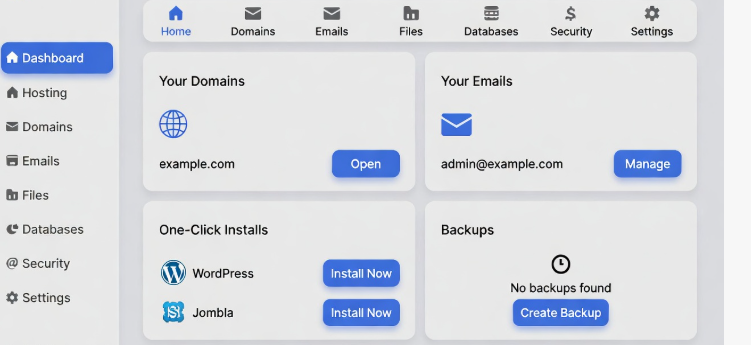
It is technically your website’s control room.
With a control panel, you can:
- Upload and manage website files
- Create and manage email accounts
- Install WordPress or other apps
- Add domains and subdomains
- Manage databases
- Monitor server usage
- Improve security with a few clicks
Why Hosting Control Panels Matter More in 2026
Web hosting isn’t what it used to be.
In 2026, running a website means doing more than just uploading files. You’re expected to handle security threats, keep your site fast, manage backups, and prepare for growth, even if you’re not technical.
That’s where a good hosting control panel makes all the difference.
1) Websites Are More Complex Than Before
Modern websites rely on many moving parts.
You’re dealing with databases, SSL certificates, email accounts, caching, and updates, often all at once. A strong control panel brings everything together in one clear dashboard, so you don’t feel overwhelmed every time you log in.
2) Security
Cyber threats are more common and more aggressive.
A good control panel helps you secure your site with simple tools like firewalls, SSL setup, malware scans, and access controls without forcing you to learn server commands or security jargon.
3) Speed and Performance
Slow websites lose visitors and rankings.
Modern control panels help you manage performance features like caching, resource usage, and server optimization, so your site stays fast even as traffic grows.
4) Avoid Mistakes
One wrong click can break a website.
The right control panel reduces risk by guiding you through tasks clearly, offering warnings, and making it easy to undo changes. That means fewer costly mistakes and faster recovery when something goes wrong.
5) Growth Shouldn’t Feel Stressful
As your website grows, your hosting needs change.
A good control panel makes it easy to add domains, create email accounts, upgrade resources, and scale your site, without starting from scratch or calling a developer every time.
Top Hosting Control Panels Compared in 2026
Here are the most popular ones right now. We rank them based on use, features, and value.
1) cPanel
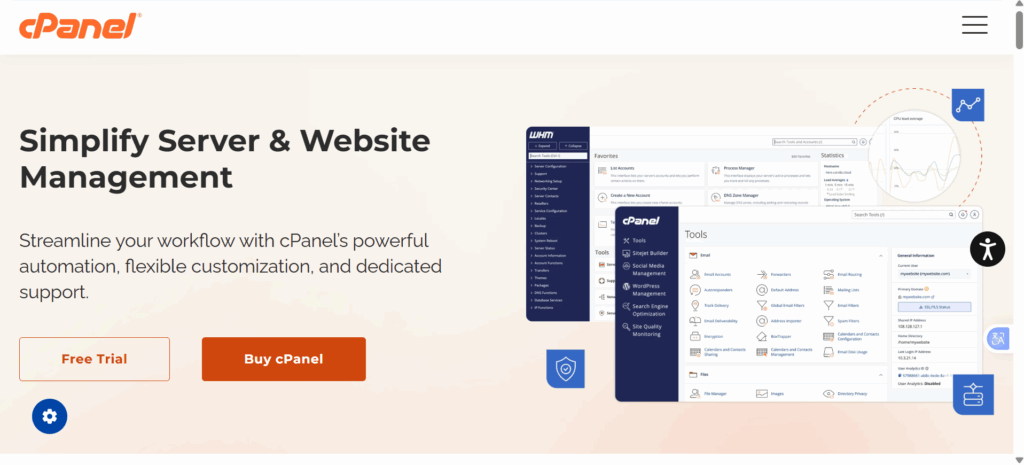
cPanel stays the king in 2026. Most hosts (including many at Truehost) offer it.
You get a clean, familiar interface. Everything sits in sections like Files, Domains, and Databases.
Pros:
- Super user-friendly
- Huge community and tutorials
- One-click installs for WordPress, Joomla, etc.
- Strong security tools and backups
Cons:
- License fees add up (often included in hosting plans)
- Uses more server resources
Best for: Beginners and businesses wanting reliability.
Many Truehost shared hosting plans use cPanel. Check our cPanel hosting packages to start.
2) Plesk
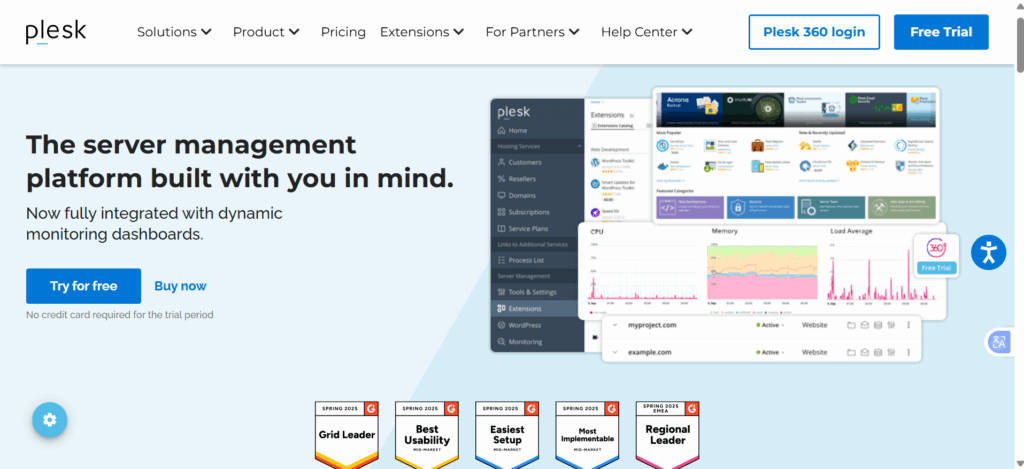
Plesk ranks second overall. It works on both Linux and Windows servers – a big plus.
The interface looks modern. You manage WordPress sites easily with its toolkit.
Pros:
- Great for Windows hosting
- Excellent WordPress tools
- Built-in security and Git support
- Good for agencies managing many sites
Cons:
- Higher cost than some alternatives
- Slightly heavier on resources
Best for: Mixed OS needs or WordPress-focused sites.
If you need Windows, Plesk shines.
3) DirectAdmin
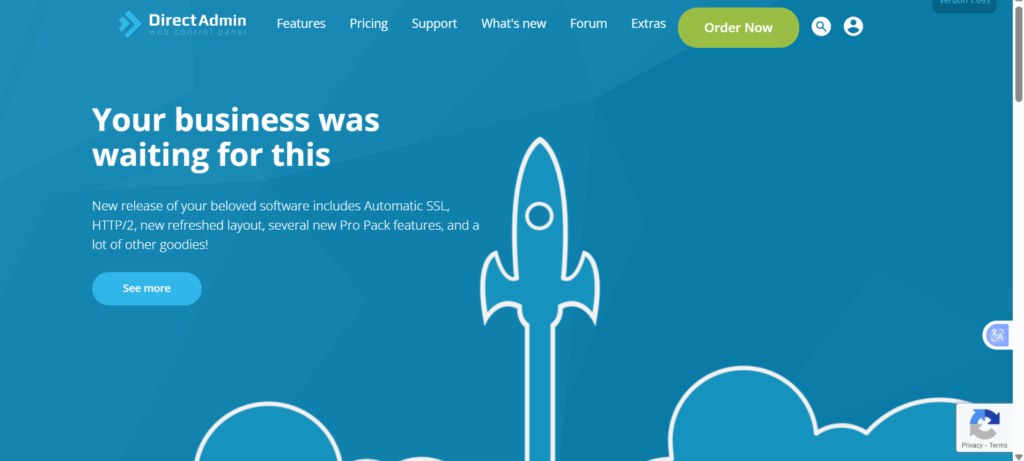
DirectAdmin keeps things light and fast. It’s cheaper than cPanel.
You get a simple dashboard. No clutter.
Pros:
- Low price (starts low per month)
- Fast performance
- Supports resellers well
- Solid features like backups and SSL
Cons:
- Fewer fancy extras than cPanel
- Smaller community
Best for: Budget users or resellers.
It’s a strong cPanel alternative if you want savings.
4) CyberPanel
CyberPanel grows fast in 2026. It’s free and uses OpenLiteSpeed for speed.
You install WordPress or other apps in one click. Great for high-traffic sites.
Pros:
- Completely free (premium add-ons optional)
- Super fast with LiteSpeed tech
- Built-in cache and SSL
- Email and DNS tools included
Cons:
- Learning curve if new to LiteSpeed
- Some updates need care
Best for: Speed lovers on a budget.
Many switch here to cut costs and boost performance.
5) CloudPanel
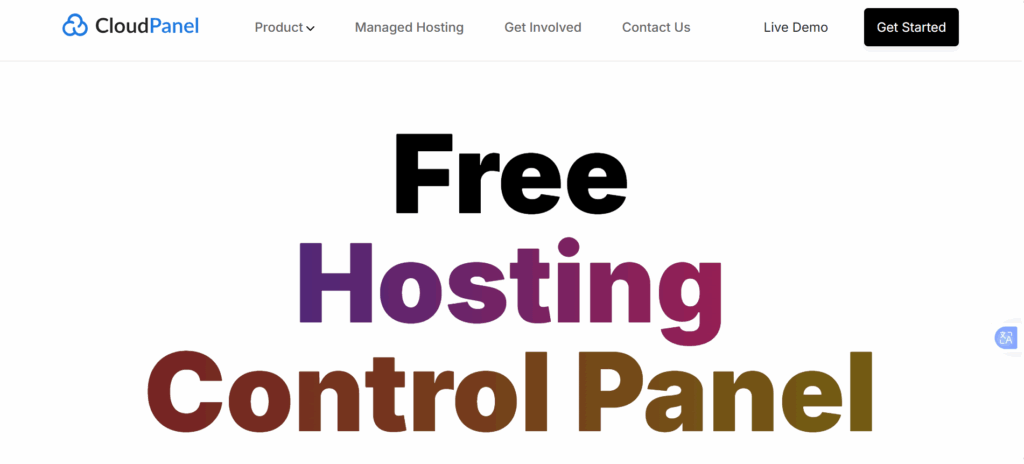
CloudPanel focuses on PHP apps like WordPress. It’s lightweight and free.
You get Docker support and fast setup.
Pros:
- Very low resource use
- Great for cloud VPS
- Built-in security
- Free forever
Cons:
- Fewer features for non-PHP sites
- Newer, smaller community
Best for: Developers or WordPress pros.
How to Choose the Right Hosting Control Panel
You don’t need to compare every feature or read endless reviews.
The best hosting control panel is the one that matches your experience level and what you’re trying to build. Once you’re clear on those two things, the choice becomes much easier.
a) Choose cPanel if:
You want something familiar and easy to use.
cPanel is ideal if you’re new to hosting or just want things to work without stress. Everything is clearly labeled, and most tasks take just a few clicks.
It’s especially popular for WordPress websites and small business sites because you can manage files, emails, and domains without technical knowledge.
If simplicity matters most to you, cPanel is a safe and reliable choice.
b) Choose Plesk if:
You need flexibility and developer-friendly tools.
Plesk works best if you’re using Windows hosting or managing multiple projects at once.
It offers strong support for developers, agencies, and teams that need more control over applications and environments.
If you build, manage, or maintain several websites, Plesk helps you stay organized.
c) Choose DirectAdmin if:
You care more about performance than design.
DirectAdmin is lightweight and efficient, making it a solid option for VPS users and hosting resellers.
It uses fewer server resources, which helps improve speed and stability, especially as traffic grows.
If you want fast performance without unnecessary extras, DirectAdmin fits well.
d) Choose CyberPanel if:
Speed is your top priority.
CyberPanel is built around LiteSpeed, making it a great choice for performance-focused websites.
It works best on VPS hosting and is popular among users who want faster page load times without paying for heavy licenses.
If website speed and optimization matter more than simplicity, CyberPanel is worth considering.
Shared Hosting vs VPS: Why the Control Panel Matters
The type of hosting you use plays a big role in which control panel will work best for you.
Shared hosting and VPS hosting serve very different needs, and the control panel should match that difference. When the pairing is right, managing your website feels simple. When it’s not, things get frustrating fast.
a) On Shared Hosting
Shared hosting is designed to be simple and beginner-friendly.
You’re sharing server resources with other websites, so customization is limited, but that’s actually a good thing when you’re just starting. Everything is controlled, stable, and easy to manage.
cPanel works best here because:
- It’s intuitive and easy to learn
- Most tasks take just a few clicks
- You don’t need technical knowledge to manage your site
For blogs, small business websites, and first-time site owners, shared hosting with cPanel is often the smoothest entry point.
If you’re starting, Truehost Shared Hosting gives you a clean setup without unnecessary complexity.
b) On VPS Hosting
VPS hosting gives you more freedom and more responsibility.
You get dedicated resources, better performance, and the ability to customize your server environment. Because of that, lighter and more flexible control panels perform better here.
DirectAdmin and CyberPanel stand out on VPS because:
- They use fewer server resources
- They give you deeper control over server settings
- They scale better as traffic grows
VPS hosting is ideal when your website starts getting more visitors, needs better speed, or requires custom configurations.
If you’re ready to grow beyond the basics, upgrading to a VPS unlocks more power, flexibility, and long-term control, with a control panel that can keep up.
Conclusion
Choosing the right hosting control panel isn’t about chasing features or picking what’s popular.
It’s about how comfortable you feel managing your website.
When your control panel is easy to use, hosting stops feeling technical. Tasks take minutes instead of hours. Problems feel manageable instead of stressful. And growth feels exciting, not overwhelming.
If you’re just getting started, a simple setup like cPanel on shared hosting gives you confidence from day one. If your website is growing and needs more speed or flexibility, moving to VPS hosting with DirectAdmin or CyberPanel gives you room to scale without starting over.
At Truehost, we understand this because we work with real website owners every day. That’s why we don’t just sell hosting, we help you choose the right control panel, the right plan, and the right setup for where you are now and where you’re going next.
If you’re ready to build or upgrade your website, get started with Truehost hosting today and enjoy fast servers, easy control panels, and local support that actually helps when you need it.